Formulas and helper functions
The complete reference for Droplet's formula language: where formulas run, every operator and helper function, the limits to know, and a library of copy-and-paste recipes.
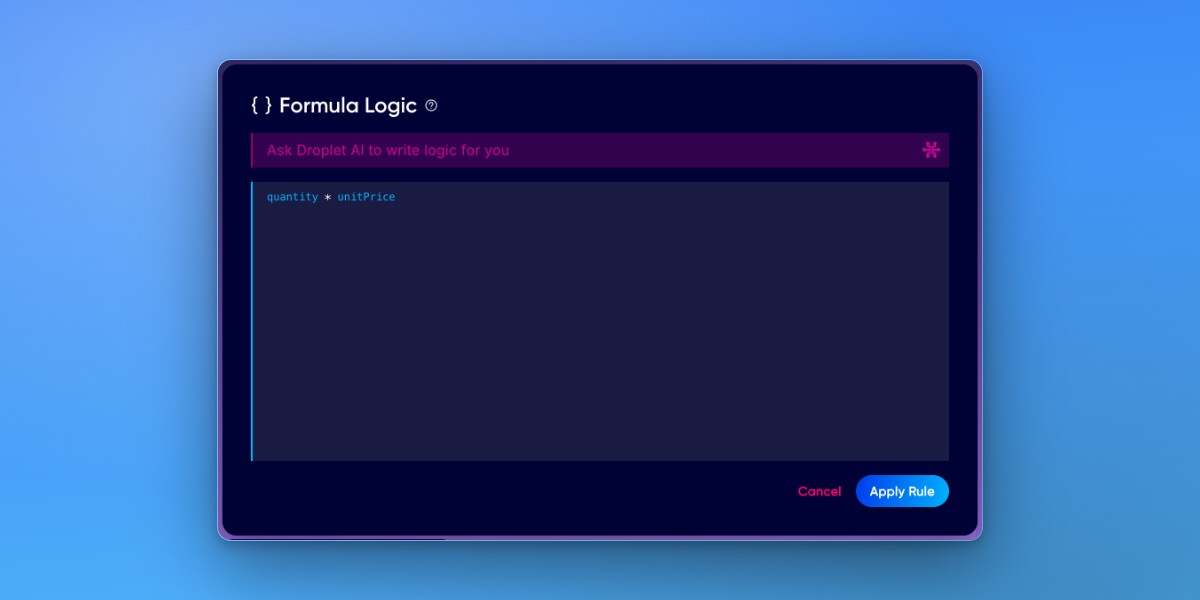
A formula is a JavaScript expression that Droplet evaluates against your form's live data. Every field is available by its ID, and the result drives a Computed field, a validation check, a Show/Hide rule, and more. This is the single home for the formula language. For the components that use formulas, see Use computed and identifier components.
Where formulas run
- Computed fields
- The most common place. A Computed field shows the result of a formula and recalculates live as other fields change.
- Validation rules
- A formula that must evaluate to true before the form can be submitted. See Use Validation Rules.
- Show/Hide Field Rules
- A formula that decides whether a field or section is visible. See Use Show/Hide Field Rules.
- Default values, dynamic options, and IDs
- Pre-fill a field, drive a Dropdown's options from a dataset, or format an Identifier, all with formulas.
- Workflow routing and assignment
- Conditional step routing and dynamic approver assignment evaluate formulas too. See Configure workflows.
Reference fields by ID
Inside a formula, every field is a variable named by its ID (find it under Details in the Properties panel). A Computed field labeled "Total" with the formula quantity * unitPrice multiplies the field whose ID is quantity by the one whose ID is unitPrice.
Inside a Table, use getCell(columnId) to read another column in the same row, and sum(columnId) to total a whole column.
Operators and building blocks
- Math
- + add, - subtract, * multiply, / divide, % remainder. The full Math object is available too (Math.round(), Math.max(), Math.ceil()).
- Comparison
- === equal, !== not equal, > < >= <=. Always use triple ===, not a single = (which assigns).
- Logic
- && and, || or, ! not. Use the double && / ||, not single characters.
- If-else (ternary)
- condition ? valueIfTrue : valueIfFalse. For example, score >= 80 ? 'Pass' : 'Fail'.
- Nested ternary
- Chain them for more than two outcomes: score >= 90 ? 'A' : score >= 80 ? 'B' : 'C'.
- IIFE (multi-step logic)
- When one line is not enough, wrap a block in an Immediately Invoked Function Expression: (() => { /* variables, if/else, loops */ return result })(). IIFEs are still fully supported under the runtime's expression restrictions. See the library below for examples.
Helper function reference
Droplet ships built-in helpers on top of standard JavaScript. Here is the full set, by category.
Math and numbers
- sum(...)
- Add values together: sum(fieldA, fieldB, fieldC). Pass a single table column ID to total the column: sum(lineTotal).
- multiply(a, b)
- Multiply values: multiply(quantity, price).
- toCurrency(n) / fromCurrency(s)
- Convert between a number and a currency string ("$1,234.56"). Always fromCurrency() before doing math on a currency value, then wrap the result in toCurrency().
- value.length
- The character count of a text field, or the number of items in a list/checkbox field.
Comparison and logic
- equals(a, b) / notEquals(a, b)
- Compare two values: equals(status, 'Approved'), notEquals(role, 'guest').
- isGreaterThan(a, b) / isLessThan(a, b)
- Compare numbers: isGreaterThan(amount, 1000), isLessThan(age, 18).
- withinRange(value, min, max)
- True when a value falls inside a range: withinRange(studentAge, 5, 18).
- includes(array, value)
- True when an array contains a value: includes(['UT','NY','MA'], state).
Text and formatting
- String(value)
- Convert a number to text: String(amount).
- padStart(string, length, pad)
- Pad a string to a fixed length: padStart(String(getSequenceId()), 5, '0') produces "00001".
- Template literals
- Backtick strings with ${ } interpolation are supported: `Invoice ${invoiceNumber}`.
Workflow and submission
- currentStep()
- The ID of the current workflow step: currentStep() === 'completed'.
- getStepIdsAndLabels()
- An array of the workflow's steps as { id: label } objects, for example [{"start": "Start"}, {"completed": "Completed"}].
- submittedByName() / submittedByEmail()
- The name and email of the person who started the submission.
Tables, data, and IDs
- getCell(columnId)
- Inside a Table column formula, the value of another column in the current row: getCell(quantity) * getCell(unitPrice).
- Object.keys(dataset)
- Read keys from a dataset (datasets are available by name): Object.keys(schools).sort().
- getSequenceId()
- An auto-incrementing number, used to build unique identifiers.
Validation
- isOptional()
- Marks a field as not required, useful for conditional validation: equals(nextAction, 'Approve') ? value : isOptional().
Limits and lore
A few things that trip people up:
- A formula is an expression, not a script. For multiple steps, variables, or branching, wrap it in an IIFE (see above).
- new Set() is not available in the Droplet runtime. To de-duplicate, use filter() with indexOf() or build an object keyed by value.
- eval and the Function constructor are banned. Formula evaluation is hardened against building and running code from a string, so eval('...') and new Function('...') will not run. More restrictions along these lines are coming. Everyday formulas are unaffected, including the IIFE recipes in the library below.
- Standard Array, Object, Math, String, and Date methods work, plus template literals.
- Currency fields are strings. "$1,200.00" is text, so fromCurrency() it before math, then toCurrency() the result.
- Operators bite. = assigns, === compares. & and | are bitwise; you almost always want && and ||. If a formula misbehaves, check these first.
- Dates and time zones. Parse with an explicit time to avoid off-by-one days: new Date(startDate + 'T00:00:00').
- Hidden does not mean cleared. A hidden field keeps its value and still submits, unless its "clear when hidden" option is on.
- Computed is read-only. Computed, Identifier, and Timestamp fields cannot be made editable, by design.
Formula library
Copy these into a Computed field's formula (or a validation/Show-Hide rule) and swap in your own field IDs. Every recipe here evaluates normally under the runtime's expression restrictions.
Combine a full name
firstName + ' ' + lastNameLine total in a table (per row)
getCell(quantity) * getCell(unitPrice)Grand total across a table column
toCurrency(sum(lineTotal))Mileage reimbursement
toCurrency(miles * 0.67)Pass or fail from a score
score >= 80 ? 'Pass' : 'Fail'Letter grade (nested ternary)
score >= 90 ? 'A' : score >= 80 ? 'B' : score >= 70 ? 'C' : 'F'Tiered discount (IIFE)
(() => {
  const subtotal = fromCurrency(amount)
  if (subtotal >= 10000) return toCurrency(subtotal * 0.85)
  if (subtotal >= 5000)  return toCurrency(subtotal * 0.90)
  return toCurrency(subtotal)
})()
Days between two dates
(() => {
  if (!startDate || !endDate) return ''
  const a = new Date(startDate + 'T00:00:00')
  const b = new Date(endDate + 'T00:00:00')
  return Math.round((b - a) / 86400000)
})()
Auto-updating school year
(() => {
  const now = new Date()
  const y = now.getFullYear()
  return now.getMonth() >= 6 ? `${y}-${y + 1}` : `${y - 1}-${y}`
})()
Padded reference number (EXP-00042)
`EXP-${padStart(String(getSequenceId()), 5, '0')}`Look up an approver's email from a dataset
budgetCodes[budgetCode]['Approver']['email']Count selected checkboxes
value.lengthConditional summary message
isGreaterThan(fromCurrency(total), 5000)
  ? 'This request needs director approval.'
  : 'This request routes straight to your manager.'
Validation recipes
Email must be on your domain
includes(submittedByEmail, '@yourschool.org')Require a checkbox to be checked
value === trueTable rows must add up to the contract total
sum(amount) === fromCurrency(contractTotal)Only require a field on approval
equals(nextAction, 'Approve') ? value : isOptional()