Manage access and share document links
Choose who can see, add, change and delete documents and doctypes, and share a link with a colleague.
How access works
Access to Document Management comes from roles, like the rest of Droplet. Two permissions on a role control it:
- Documents
- Working with the documents themselves: finding, opening, uploading, correcting and deleting them.
- Document Types
- Working with doctypes: creating them, changing their fields and sorting paths, and deleting them.
Each permission has the actions View, Create, Update and Delete, or All for every action.
| Person | Documents | Document Types |
|---|---|---|
| Looks documents up | View | None |
| Uploads and checks documents | View, Create, Update | None, or View |
| Sets up doctypes and filing | View, Update | All |
| Records manager who removes documents | Add Delete only for people whose job includes it | As needed |
Changing a document's doctype from its details panel needs Document Types Update.
Give someone access
Go to Organization, then the Roles tab. Click the three-dot menu on the role and choose Edit.
Click + Permission and choose Documents or Document Types as the resource, or click the pencil next to one the role already has.
Under Add Actions for this Permission, select only the actions this role needs.
Click Save Role. Everyone with the role gets the change.
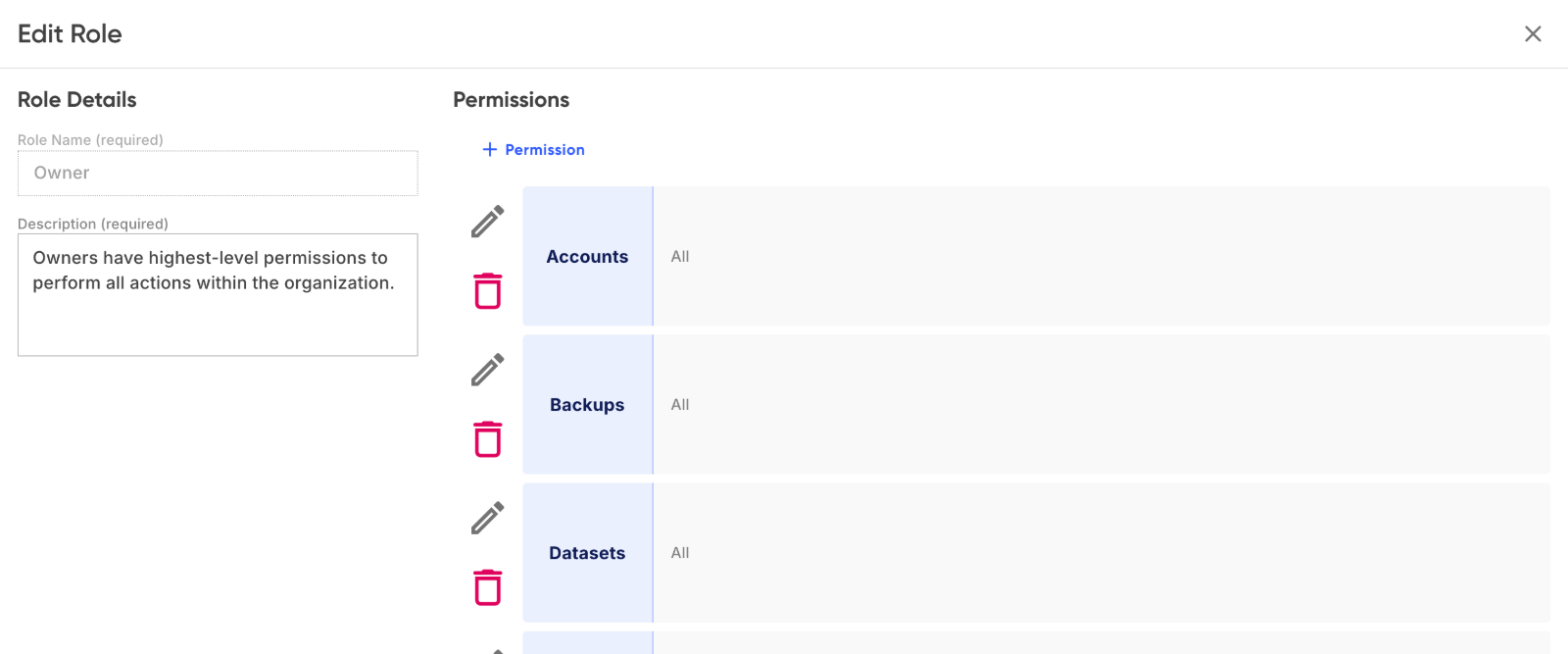
Document Types and Documents sit alongside the other permissions on a role.

Choose the actions for each permission.
People can have more than one role, and their permissions add up across all of them. For creating roles and assigning them to people, see Roles and access.
Test it
Ask someone with the role to open Docs and try what they should be able to do, and something they shouldn't, such as deleting a document. Fix the role before adding sensitive records.
Share a link with a colleague
- In Docs, right-click the document or folder and choose Share. The link is copied.
- Paste it into an email or chat to a colleague.
The link only opens for people who sign in to your organization in Droplet and have access to Docs. Sharing a link doesn't give anyone access. Who shared what is recorded in the document's Activity tab.