Disable or archive a form
Temporarily stop accepting submissions by disabling a form, or archive it to remove it from your active list.

Disable a form
Disabling a form prevents new submissions while keeping existing submissions intact and able to continue through their workflows.
Go to the Forms page.
Click the three-dot menu on the form card.
Select Disable.
The form card will show "Disabled" in the lower-left corner. Anyone who tries to access the form link will be unable to start a new submission.
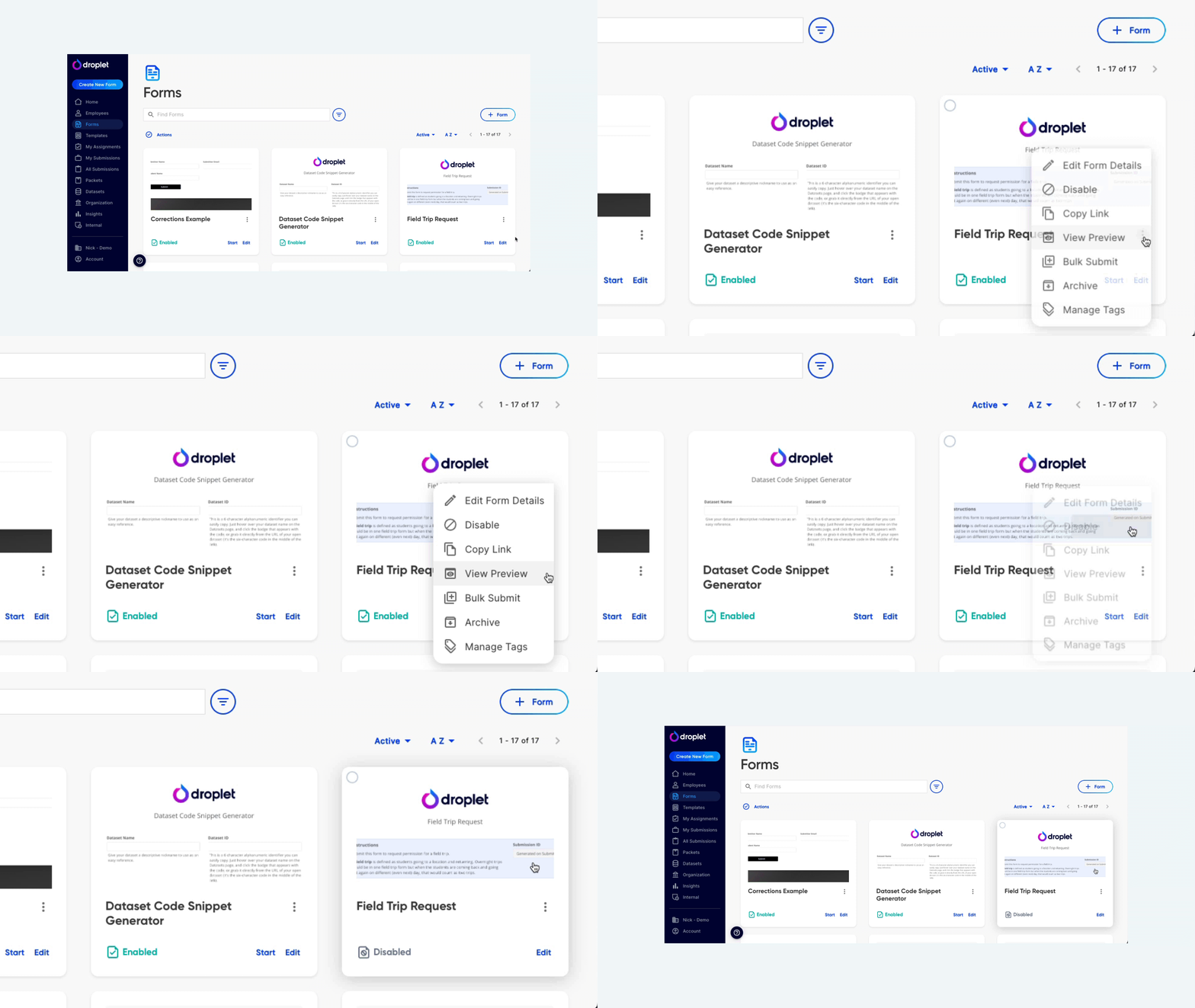
Disable a form to temporarily stop new submissions.
Disabling is useful for forms that only accept submissions during specific windows - like application periods, enrollment cycles, or reimbursement deadlines.
Re-enable a form
Go to the Forms page and find the disabled form.
Click the three-dot menu on the form card.
Select Enable.
The form is immediately available for new submissions again.
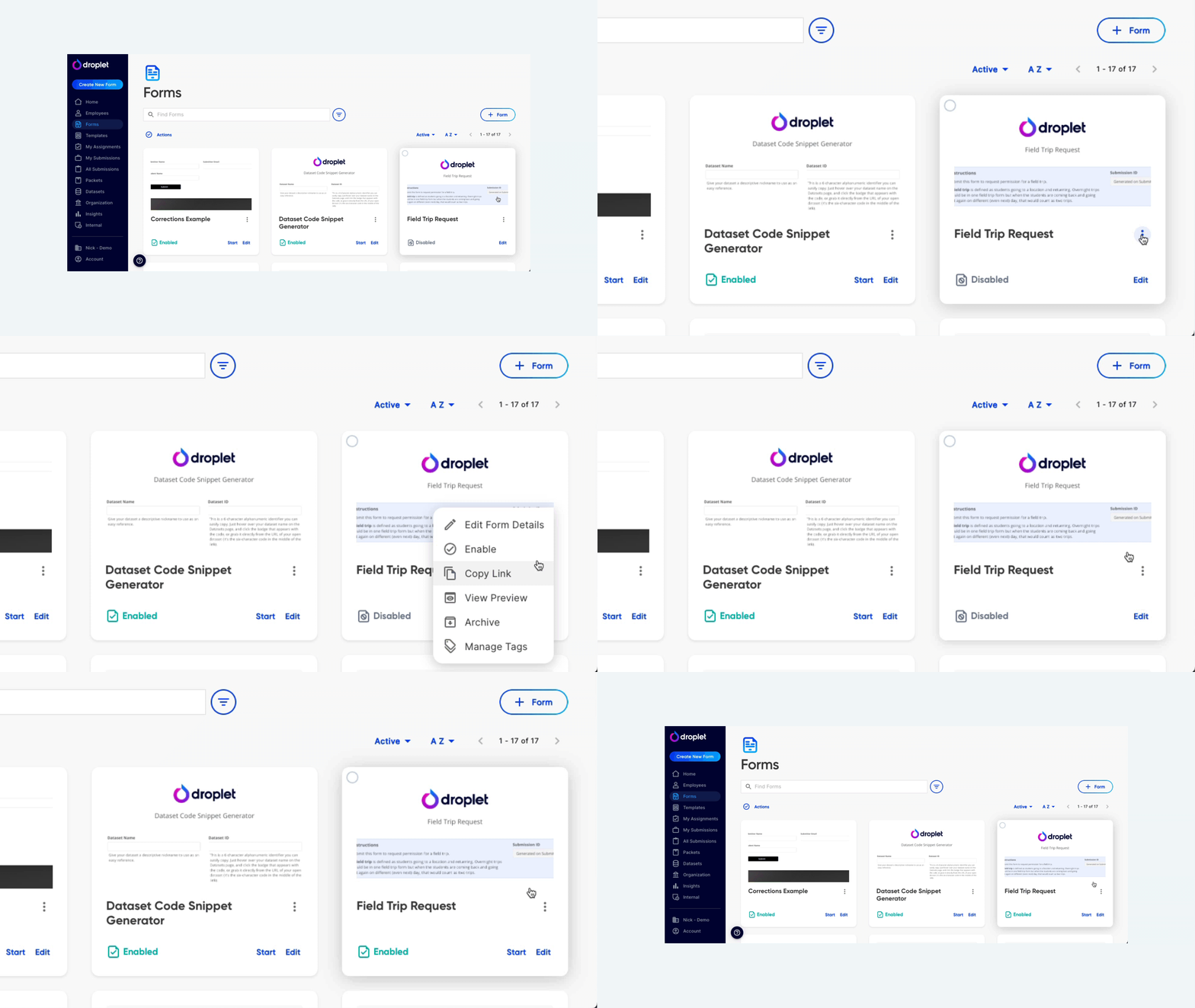
Re-enable a form to start accepting submissions again.
Archive a form
Archiving removes a form from your active Forms page. Use this for forms that are no longer in use and don't need to accept submissions.
Go to the Forms page.
Click the three-dot menu on the form card.
Select Archive.
Archiving a form does not delete it. Existing submissions are preserved, and the form can be unarchived at any time. To find archived forms, use the Filters menu and filter by Form Status.
Frequently asked questions
What's the difference between disabling and archiving?
Disabling is temporary - the form stays on your active Forms page and can be re-enabled at any time. Archiving removes the form from your active view entirely. Both preserve existing submissions.
Do in-progress submissions continue after a form is disabled?
Yes. Disabling only prevents new submissions. Existing submissions continue to move through their workflows normally.
Can I unarchive a form?
Yes. Filter for archived forms using the Filters menu on the Forms page, then click the three-dot menu on the archived form and select Unarchive.