Change account settings
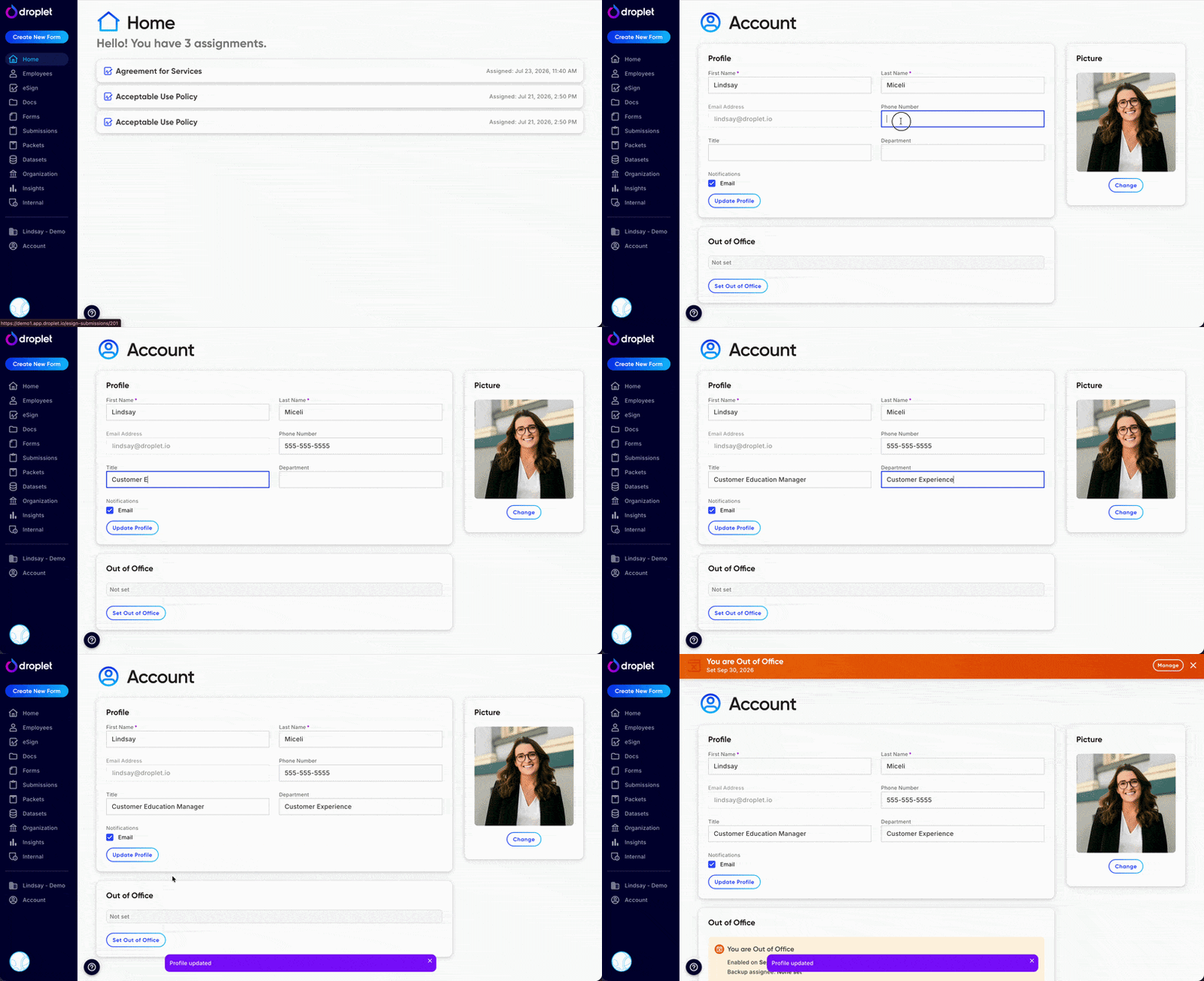
Update your name, contact information, profile picture, and notification preferences.
Update your account
Only the account holder can edit their settings. Click Account at the bottom of your left-hand navigation menu in Droplet. From there you can edit the following fields:
- First and Last Name
- Your display name across Droplet.
- Email Address
- The email associated with your account and used for login.
- Phone Number
- Optional contact number stored on your profile.
- Title
- Your job title within your organization.
- Department
- The department you belong to.
- Picture
- Your profile photo, visible to other users in your organization.
- Email Notifications
- Controls whether you receive email notifications from Droplet.
- Out of Office
- Mark yourself Out of Office and select an optional back up assignee.
Disabling email notifications may cause you to miss important updates about submissions assigned to you. Use this setting carefully.